How to Verify Brands on kakobuy
How to Verify Brands on kakobuy
How to Verify Brands on kakobuy: From Product Page and Manufacturer Info to Pre-Purchase Evidence Checklist
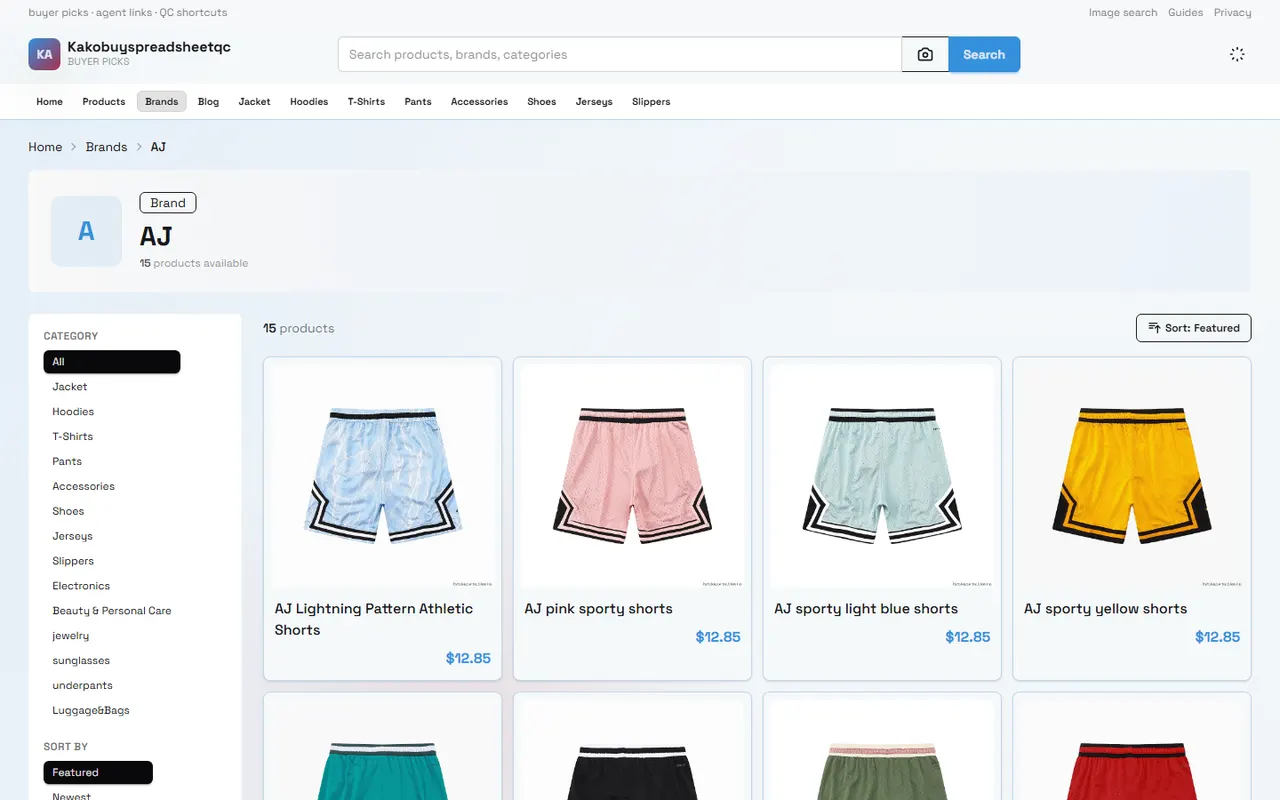
Figure: Build a brand verification record around product page, manufacturer information, and warehouse QC photos.
Clarify the Brand and Purchase Task for This Verification
Before placing an order on kakobuy, the key point of brand verification is not to judge whether a name "sounds like a brand," but to confirm whether the specific item you plan to buy has sufficient evidence to support the correspondence between brand, manufacturer, model, and product attributes.
This guide is suitable for the following task: You have found a Chinese product page and plan to make a purchase through kakobuy. You want to verify the brand information on the product page before paying, and after the item arrives at the warehouse, use QC photos to further check the markings, packaging, and details.
After reading, you should be able to do three things:
Build a brand evidence record, distinguishing confirmed, pending, and unconfirmable information.
Determine whether the brand name on the product page is a brand, seller, series name, or marketing description.
Make a traceable choice between purchasing, requesting a return/exchange, or abandoning the candidate item.
This method cannot prove that an item is authentic, nor can it replace official brand authorization inquiries, professional authentication, or intellectual property judgment in the destination country. Product pages and QC photos usually only help you check whether the page description matches the physical appearance, and cannot independently prove authorization, production qualifications, or authenticity. 🧭
This article is compiled based on kakobuy platform materials. Information regarding fees, discounts, warehousing, returns, logistics, and inspection scope was verified on September 15, 2026. Relevant conditions may change due to destination country, route, product type, order status, and platform policies. Always refer to the current checkout page, order page, and customer service confirmation for final details.
Look for Brand and Manufacturer Clues on the kakobuy Product Page
Save the complete information of the product page before making judgments. It is recommended to record the product title, brand field displayed on the page, product images, color or model options, size, material, origin, seller name, product description, page update time, and the source platform corresponding to the product link.
Don't just capture the title. Brand information is often scattered in different places: the title may contain the brand name, the specifications area may show manufacturer or origin, detail images may show packaging marks, and seller information is in the store area. Only by putting these locations in the same record can you discover whether they support each other.
Check in the following order:
Check whether the product title contains an explicit brand name, and whether that name matches the logo on the images.
Check the product specifications, attributes, and detail images for descriptions related to manufacturer, model, material, origin, or brand authorization.
Check the seller name and store information to confirm whether the seller is only a reseller, not the manufacturer or brand owner.
Compare different color, model, and size options to check whether the brand information applies to the entire product or only to one variant.
Save page screenshots and record the time to avoid being unable to reproduce what you saw if the page is later modified.
If the page has only a prominent name but no supporting information such as manufacturer, model, packaging, or specifications, record it as a "brand clue," not directly as "brand confirmed." Similarly, if text on images is blurry, cropped, or only partially visible, it can only be treated as pending evidence.
Distinguish Brand Name, Seller Name, and Product Series
Brand, seller, and product series may appear simultaneously on a product page, but they carry different meanings.
A brand name typically identifies the product's origin or commercial mark; a seller name identifies the store selling the item; a product series may simply be a name for a set of designs, colors, or features. One store may sell multiple brands, one brand may be sold through multiple sellers, and a series name does not necessarily represent an independent brand.
Do not rely on the position or font size of the name when judging. Put each name into one of three categories:
Brand candidate: explicitly called a brand on the page, or appears repeatedly in product marks, packaging, and specifications.
Seller candidate: appears in the store name, seller information, or contact details, but there is no evidence that it is the manufacturer.
Series candidate: appears in style, design, collaboration, or model descriptions, and is not explicitly stated as a brand on the page.
If the product title includes a certain name but the store name is completely different, this does not automatically indicate a problem; it only means the seller and the brand candidate are not the same entity. Conversely, if the store name is the same as the product brand, you cannot conclude that the store is the brand's official store.
Also pay attention to name variations. Differences in capitalization, spaces, hyphens, Chinese translations, and English spellings can cause misjudgment. Record the original page wording and keep your own standardized form, but do not treat the standardized name as a new fact. ✍️
Record Visible Specifications Separately from Unconfirmable Information
The most common mistake in brand verification is filling in information not provided on the page to create a seemingly complete profile. The correct approach is to separate "what is seen" from "what can be confirmed."
Information Item | What Can Be Confirmed Based on Page or QC Record | What Should Not Be Directly Inferred |
|---|---|---|
Brand name | Original text on page, recognizable logo in images | Official authorization, authenticity, brand ownership |
Manufacturer | Manufacturer name or address explicitly listed on page | Actual production factory, OEM relationship, production qualifications |
Model and specifications | Model, color, size, material, and dimensions listed on page | Unlisted ingredient ratios, durability, or performance ratings |
Seller information | Store name, seller info displayed on product page | Official direct operation, after-sales capability, or reputation rating |
Packaging and markings | Labels, box, hang tags, and prints visible in QC photos | Packaging source, channel legality, or anti-counterfeiting results |
Price and fees | Amount shown on current page or during checkout | Long-term price, final taxes, and actual cost in destination country |
Regarding price, kakobuy materials break down the total purchase service fee into product cost, international shipping, and customs declaration fee. Product cost includes item price and domestic shipping within mainland China; international shipping depends on weight, route, and destination region; customs declaration fee is usually related to shipping method, and the example amount given in the materials is RMB 8. This example cannot replace your order settlement amount or represent destination country taxes.
The materials also mention that the platform may offer new user shipping coupons and redemption codes, but eligibility, validity period, applicable scope, and remaining quota are highly volatile. Check your current account and checkout page before ordering; do not count the discount amount from the materials as confirmed savings.
Use three status markers: confirmed, pending, unprovided. Only the first category can be included in the definite part of your purchase decision; the second needs further verification through QC or customer service; the third should remain blank, not filled with information from similar products or common industry knowledge.
Use QC Photos to Check Consistency of Markings, Packaging, and Details
kakobuy's inspection scope focuses on appearance information such as style, quantity, color, size, and model, and also screens for prohibited items. For some items with sealed packaging, sealing labels, or sealing strips, inspection is typically done without opening the package, focusing on checking the outer packaging for damage and using the outer packaging information to determine if the item is wrong.
Therefore, QC photos are suitable for answering "does the visible appearance of the received item match the order and page description," not "is this item definitely authentic." These two questions must be separated.
After receiving QC photos, check in the following order:
Item body: color, style, quantity, and overall outline match the selected variant.
Logo position: brand logo appears in the position shown on page images, and text is clear and legible.
Model info: model on hang tag, shoe box, packaging label, or product label matches order options.
Packaging condition: no damage, crushing, missing seal, or obvious abnormality on outer packaging.
Detail consistency: stitching, patterns, accessories, prints, and structures shown on page can be found in the photos.
Photo limitations: any reflections, obstructions, low clarity, or insufficient shooting angles that prevent judging key parts.
If QC photos only show the front of the item, and the brand logo is on the inner label, sole, back, or inside the packaging, do not write "logo not seen in photos" as "item has no logo." A more accurate record is "current photos do not cover that part; pending additional photos or cannot confirm." When requesting additional photos, specify the part and purpose of the check, and avoid asking the warehouse to perform authentication that cannot be done.
Photos should cover personal information such as order number, name, phone, address, payment details, and complete shipping label. When saving screenshots, keep the original file, capture or download time, file purpose, and necessary privacy handling records. Do not use editing to hide damage, and do not treat illustrative images as real QC evidence. 📦
Handle Missing or Contradictory Brand Information
Missing brand information does not necessarily mean the item is not worth buying, but it reduces the level of verification you can complete before payment. Contradictory information needs further categorization, because some contradictions are just name or variant differences, while others may involve inaccurate page descriptions.
Process according to evidence strength:
Title and specifications area differ: first confirm whether they are for different variants, then check detail images and option settings.
Brand name differs from packaging text: record both original texts, and check for series name, manufacturer name, or packaging entity name.
Seller name differs from brand name: keep them in separate columns; do not judge as counterfeit just because they differ.
Manufacturer information missing: mark as unprovided; do not infer factory from origin, image style, or price.
QC photos inconsistent with page: pause consolidation or shipping decision; first confirm whether it is a wrong shipment, page variant selection error, photo angle issue, or information recording error.
Key parts cannot be photographed: mark as pending; decide whether to continue purchase based on item risk.
If information is contradictory, keep original evidence first, then ask specific questions to the seller or kakobuy customer service. Questions should be answerable, for example: "Please confirm the model corresponding to this option," "Does the manufacturer name on the packaging label belong to this item," "Is this photo an actual record of the current color and size." Do not just ask "Is it real?" because such questions usually cannot be reliably answered through product pages or ordinary warehouse inspection.
kakobuy materials show that the platform offers payment methods such as balance top-up and credit card, and provides customer service email [email protected]. When contacting the platform, do not send complete orders, passports, payment cards, or full shipping labels; only provide the minimum information needed to resolve the issue, and mask personal data first.
Pre-Purchase Brand Evidence Checklist
Before payment, you can copy the checklist below and fill it out item by item:
Original product page name: saved / not saved
Brand original text as shown on page: recorded / not provided
Seller name: recorded / not provided
Manufacturer or origin information: recorded / not provided
Model, color, size, or other variant: recorded / not confirmed
Brand logo on page images: clear / blurry / not present
Brand name vs. packaging text: consistent / inconsistent / no packaging evidence
Current price and domestic shipping within mainland China: verified / pending checkout confirmation
International shipping, customs declaration fee, and possible destination country taxes: not finally confirmed / confirmed at checkout
Item belongs to special or restricted category: checked / pending confirmation
Acceptance of subsequent return/exchange: conditions checked / not confirmed
Key risk: low / medium / high
Final decision: buy / decide after inquiry / abandon
Return/exchange conditions should also be checked separately. Platform materials mention that within 120 hours after warehousing, you can apply for a 5-day no-reason return/exchange, but customized, restricted, adult products, intimate apparel, food, and items where you have requested the warehouse to remove packaging, tags, or accessories may not be eligible. Do not remove packaging or request accessory handling before confirming applicable conditions.
The value of this checklist is preserving uncertainty. The more incomplete the brand information, the more you should avoid adding the item to a high-value consolidation; if the item involves high intellectual property, compliance, or financial loss risk, ordinary page verification is insufficient to support a purchase decision.
Next Steps for Keeping Candidates and Pending Items
After initial verification, you don't need to delete all candidate items immediately, nor should you treat all candidates as confirmed brands. It is recommended to create a simple candidate record, dividing items into three groups: relatively complete evidence, needs more evidence, key information conflicts.
Items with relatively complete evidence can proceed to budget and logistics comparison; items needing more evidence should have specific questions recorded before deciding whether to contact seller or customer service; items with key information conflicts are not recommended for payment or consolidation until contradictions are resolved.
If planning to buy multiple items, separate brand verification from consolidation decisions. Consolidation may reduce repeated first weight or handling costs, but may also increase volumetric weight, package value, and single loss risk; splitting may increase fixed costs but sometimes can handle route restrictions or reduce risk per package. Calculate based on actual weight, item value, route conditions, and destination country requirements; there is no universal solution for all orders.
Finally, save the file naming correspondence between page screenshots, specification records, customer service replies, and QC photos. Each piece of evidence should note its source, date, and the specific conclusion it supports. If unable to confirm, clearly write "pending" or "not provided." This way, when items are warehoused, returns are requested, routes are chosen, or after-sales issues are handled, you can quickly return to the original evidence instead of relying on memory.
The amount of money this verification method may save mainly comes from reducing wrong variant selection, wrong shipments, and unnecessary return/exchange costs in domestic shipping, handling time, and some logistics costs; the cost is the time spent saving pages, comparing photos, and waiting for confirmation. It cannot eliminate risks related to authenticity, authorization, customs clearance, or destination country taxes.
It is more suitable for buyers who value evidence, purchase high-value items, have complex product specifications, or need to reduce error rates before consolidation. It is not recommended as a solution to guarantee authenticity, nor should you complete a purchase solely based on low price, image similarity, or seller claims when brand name, manufacturer information, and key QC details cannot be confirmed.
Browse our latest products and find your next favorite item.